How to set up a free visual difftool for git on Windows
git diff is fine for small changes. For anything larger — a refactor, a reformatted config, a long XML file — a side-by-side view is far easier to read. Git can open one for you with git difftool.
Installing Diffy from the Microsoft Store adds a diffy command (and diffypro for the Pro edition) that any terminal can run. Point git at it once and every git difftool opens in a side-by-side window with the changed words marked.
1. Install Diffy
Get Diffy from the Microsoft Store — it is free. Open a new terminal and check that diffy runs.
2. Tell git to use it
git config --global difftool.diffy.cmd "diffy \"$LOCAL\" \"$REMOTE\""
git config --global diff.tool diffy
git config --global difftool.prompt false
With Diffy Pro, put diffypro in the first line instead. $LOCAL is the older version, so it opens on the left as Original; your working copy is on the right as Modified.
3. Use it
git difftool                 # uncommitted changes
git difftool HEAD~1          # what the last commit changed
git difftool main..feature   # everything a branch changed
git difftool -- path/to/file # one file only
Git opens each changed file in turn and moves to the next when you close the window.
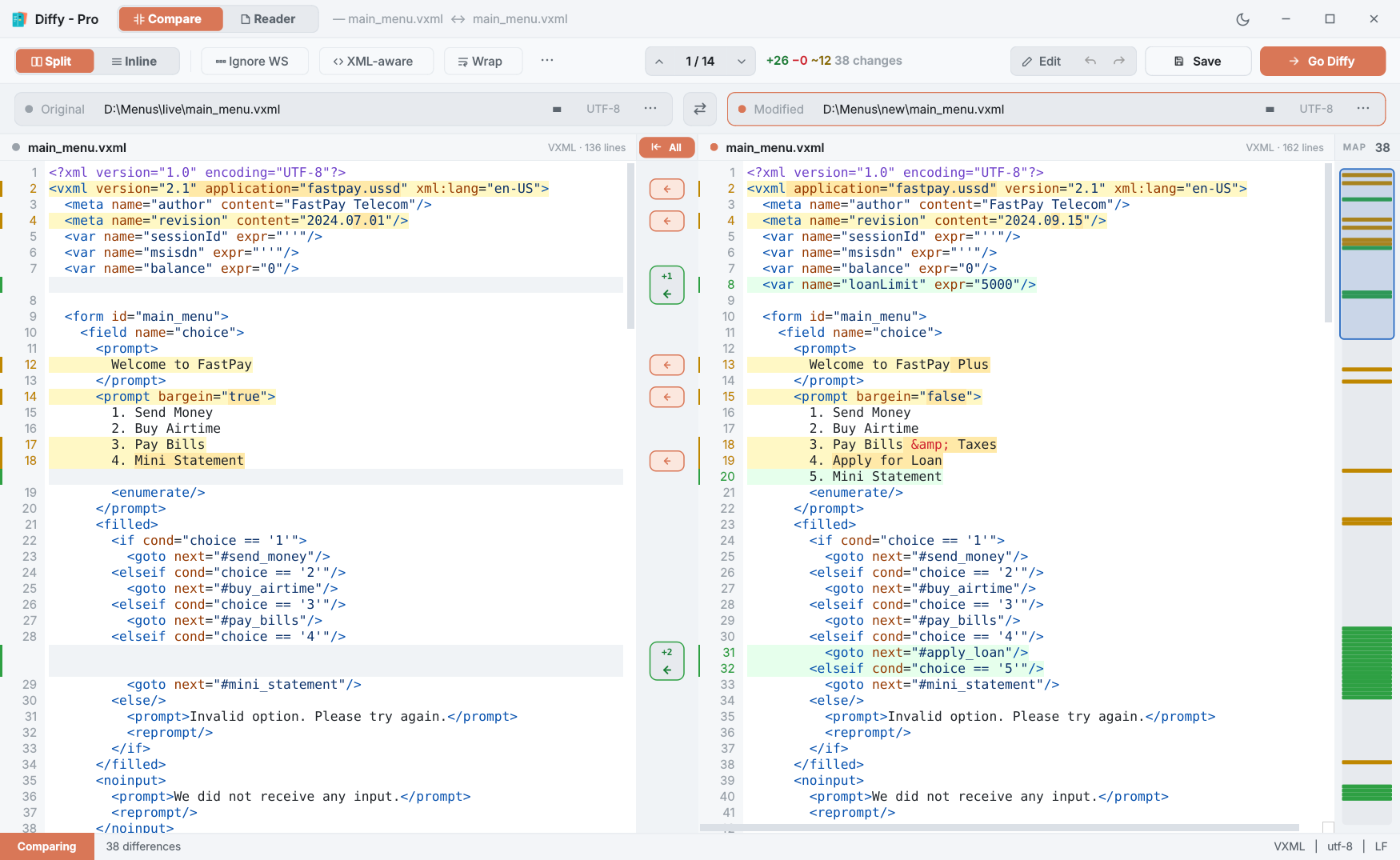
git difftool opens: the older version on the left, your version on the right, every change highlighted.Also useful in scripts
Diffy can also compare without showing the comparison: diffy --diff a.txt b.txt exits with 0 when the files are the same, 1 when they differ and 2 on error. Diffy is a windowed app, so in Command Prompt run it as start /wait diffy --diff a.txt b.txt for the script to see the exit code. Diffy Pro adds --patch and --report to write a unified patch or an HTML report. Details in the command-line guide.
Questions
Can I use Diffy as a git mergetool?
Not yet. A merge tool needs a three-way view (base, yours, theirs), and Diffy is a two-way comparer. Use it as the difftool and keep your current mergetool.
The diffy command is not found.
Open Windows Settings → Apps → Advanced app settings → App execution aliases and make sure Diffy is switched on, then open a new terminal.
Does git wait for me to finish?
Yes. Git opens one file at a time and moves on to the next when you close the Diffy window.