How to compare two XML files while ignoring attribute order
Two XML files can mean exactly the same thing and still produce hundreds of differences in a normal diff — because a tool rewrote the attributes in another order, changed the indentation, or spelled an entity differently.
This happens constantly with generated XML: exported configuration, .csproj and .resx files touched by an IDE, SOAP payloads, Android layouts, SVG from design tools, and anything round-tripped through a serializer. Line-by-line diff tools see a different line and report a change. What you want is a compare that understands XML.
What "XML-aware" compare does
In Diffy Pro, XML-aware rewrites both files into one canonical layout before comparing:
- Attributes are sorted, so
<item id="7" name="Pen">and<item name="Pen" id="7">are the same line. - Indentation is made uniform, so tabs versus spaces, or a file squashed onto one line, stop mattering.
- Entities are spelled one way, so
'and'compare equal.
What is left is the real difference: changed values, added or removed elements, edited text.
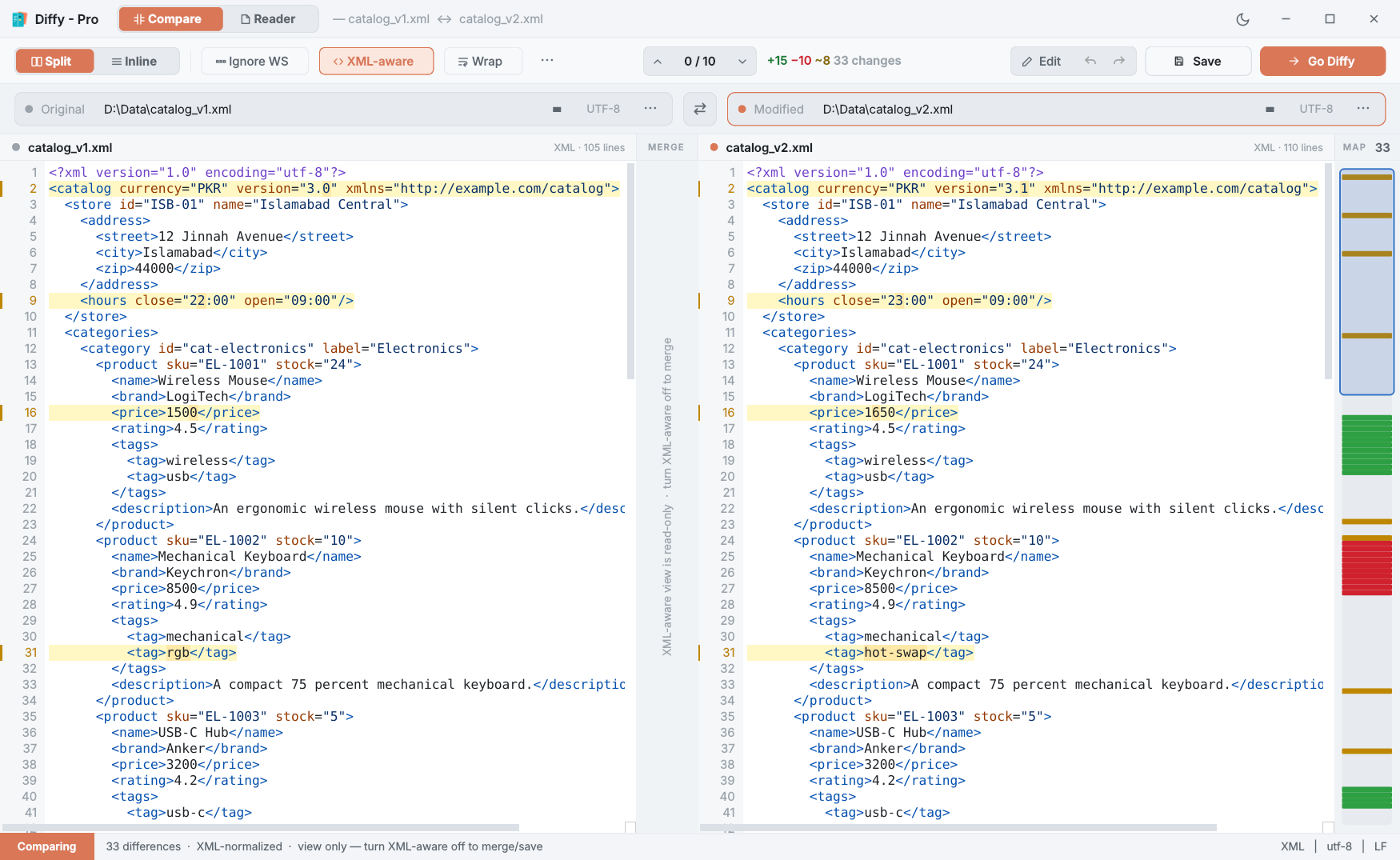
Step by step
- Open both files. Select them in File Explorer and choose Compare in Diffy Pro, or drop the older file on the left pane and the newer on the right.
- Turn on XML-aware on the toolbar. The compare runs again on the normalised XML.
- Step through the changes with Alt+↓. If both files also differ in whitespace inside text, add Ignore WS.
- Need to edit? Turn XML-aware off. Merging and saving work on the real files, keeping their own formatting, encoding and line endings.
Tips
- Very large exports — tens of thousands of lines, sometimes a single line — compare in the background without freezing the window.
- Repeated blocks (many identical
</item>lines) can make any diff pair the wrong lines. Diffy Pro's alignment anchors fix that by pinning two lines you know belong together. - From a script:
diffypro --diff old.xml new.xml --xmlexits with 0 when the files are equivalent and 1 when they differ — useful in build checks. Run it withstart /waitin Command Prompt so the script waits for the result. See the command line.
Questions
Why does a normal diff show so many changes?
Line-based diff tools compare text, not meaning. If a serializer writes id before name one day and after it the next, every element line differs even though the XML is identical in meaning.
Does XML-aware mode change my files?
No. It only changes what you see. The view is read-only, and merging or saving is refused while it is on, so a normalised layout can never overwrite your real file.
What if one file is not valid XML?
Diffy compares both files as plain text instead and names the file it could not parse in the status bar.