Comparison options
Most compares need nothing on this page. It is for the times when the differences on screen are not the ones you care about.
Ignoring whitespace
Ignore WS on the toolbar stops spaces and tabs from counting as changes. The lines are still shown exactly as they are in the files — only the comparison ignores the spacing. ⋯ → Whitespace ignore mode chooses how much is ignored:
| Whitespace amount (default) | Leading and trailing spaces are ignored, and any run of spaces or tabs inside a line counts the same as one space. Right for re-indented files. |
| Leading/trailing only Pro | Only the start and end of each line are ignored. Spacing inside the line still counts. |
| ALL whitespace Pro | Every space and tab is ignored, so a = b matches a=b. |
XML-aware compare Pro
Two XML files can mean exactly the same thing and still look completely different: attributes in another order, different indentation, ' instead of '. XML-aware rewrites both files into one consistent layout before comparing — attributes sorted, indentation uniform, entities spelled one way — so only real changes are left.
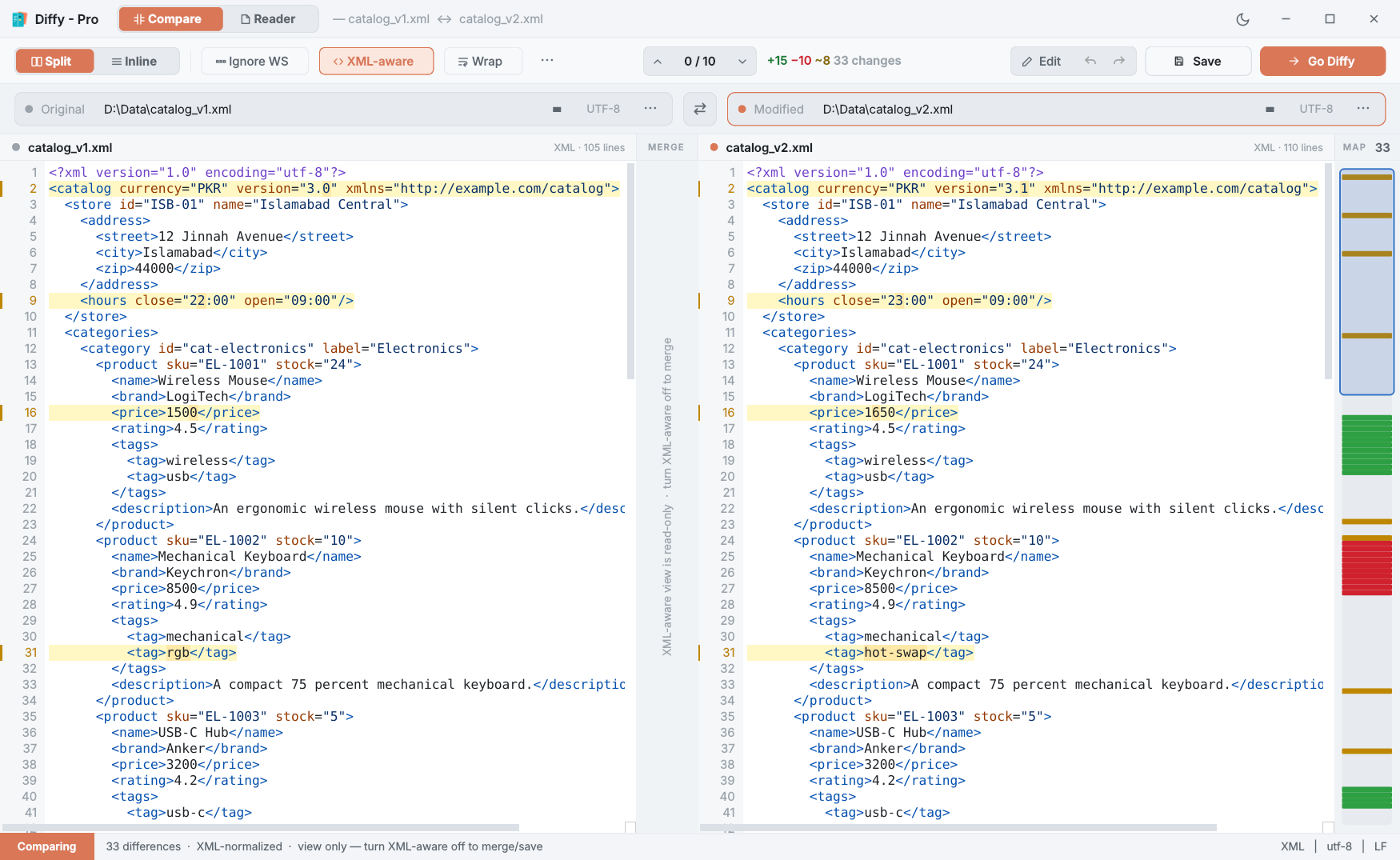
Because what you see is the rewritten XML, the view is read-only: merging and saving are refused until you turn it off (Edit mode always works on the real file). If either file is not well-formed XML, Diffy compares both as plain text and names the file it could not read in the status bar.
Algorithms
⋯ → Algorithm decides how lines are paired up between the two files. The difference only shows on files with lots of repetition.
| Histogram (recommended) | The default, and the one git uses. Pairs lines by how rare they are, which keeps unique lines anchored and gives readable results on code and XML. |
| Patience Pro | Anchors only on lines that appear exactly once in each file. Sometimes better when big blocks were moved. |
| Classic Pro | Python's difflib. Occasionally finds a closer match on short files; can pair the wrong repeated lines on long ones. |
Alignment anchors Pro
In a file full of near-identical blocks — </block>, <field>, }} — any algorithm can pair the wrong repeated line, and everything after it looks shifted. An anchor tells Diffy two lines are the same point:
- Mark a line: right-click it and choose Anchor this line…, or click it and press Ctrl+Alt+A. Its line number lights up.
- Click the matching line in the other pane. Diffy pairs those two lines and compares the part above and the part below separately.
Esc cancels a half-made anchor. You can set several, as long as they do not cross — an anchor that would cross an existing one is refused; ⋯ → Clear alignment anchors (Ctrl+Alt+Shift+A) removes them. Anchors work in Split view outside Edit mode, are cleared when you pick a different file, and follow their files when you swap.
Encoding Pro
Diffy reads the byte-order mark if there is one, and otherwise tries UTF-8, then Windows-1252, then Latin-1. That is right for almost every file. When it is not — accented letters or Urdu turn into nonsense — click the encoding badge in that file's picker and choose: Auto-detect, UTF-8, UTF-8 with BOM, UTF-16, UTF-16 LE, UTF-32, CP1252 or Latin-1. Diffy reloads the file in that encoding, and Save then writes it back in the same one.