Editing & saving
Both editions let you fix things where you found them. Diffy writes files carefully: it keeps their encoding and line endings, and it never half-writes one.
Edit mode
Press Edit in the toolbar. Both panes become ordinary editable text, loaded straight from the files, and the status bar badge changes to Edit mode. Highlighting keeps up as you type, so you can see a difference disappear as you fix it.
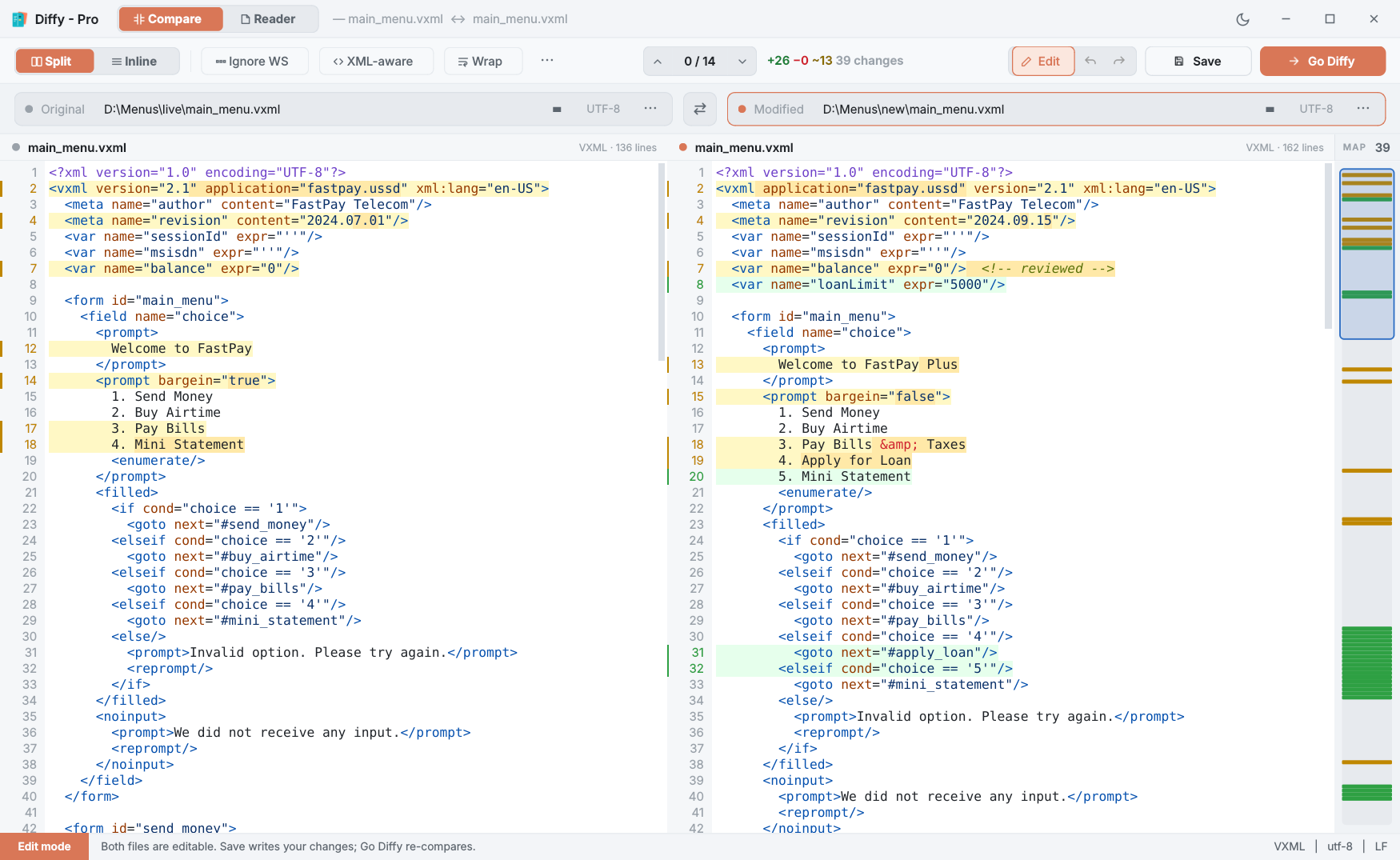
To leave Edit mode, press Edit again or Go Diffy. Diffy compares what you typed. Your edits are kept but are not on disk until you save — the status bar lists them as unsaved edits, and Diffy asks about them before it closes or before you swap in a different file.
In Diffy Pro, entering Edit mode drops pending merges. Edit mode works on the files as they are on disk. If you have taken changes and not saved, Diffy asks first; skip marks are simply cleared.
Saving
Press Save or Ctrl+S. Diffy asks which file to write — Original, Modified, or both — with the files you changed already ticked.
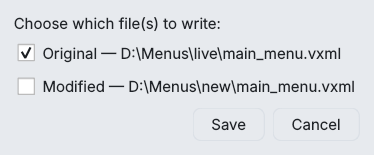
Each file is written back the way it came:
- Same encoding. A UTF-16 file stays UTF-16; a file with a byte-order mark keeps it, and one without does not gain one.
- Same line endings. CRLF stays CRLF, LF stays LF. A file that mixed the two is saved with whichever it used most, and the status bar says so.
- Same last line. If the file did not end with a line break, it still won't.
The safety checks
| The file changed on disk | If another program saved the file after Diffy loaded it, Diffy asks before overwriting those outside changes. |
| A character the encoding can't hold | Typing, say, Urdu into a CP1252 file cannot be saved in CP1252. Diffy says so and writes nothing; the file on disk is untouched. Use Save As to choose UTF-8. |
| Written safely | Diffy writes to a temporary file next to the original and swaps it in, so a crash mid-save does not leave a half-written file. (If Windows refuses the swap — another program holding the file, say — Diffy writes the file directly instead.) |
| Closing with unsaved work | Diffy lists what is unsaved and offers Save, Discard or Cancel. Choosing Save closes only if every save succeeded. |
Save As: converting encoding and line endings
⋯ → Save As… (encoding / line endings) writes one side to a file of your choosing, with the encoding and line endings you pick. It is the quick way to turn a Windows-1252 export into UTF-8, or CRLF into LF, without touching the content.
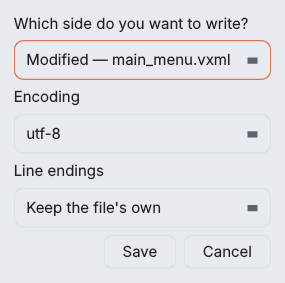
Encodings offered: UTF-8, UTF-8 with BOM (utf-8-sig), UTF-16, UTF-16 LE, UTF-32, Windows-1252 (cp1252) and Latin-1. Line endings: keep the file's own, CRLF (Windows), LF (Unix) or CR (classic Mac). The suggested name ends in _converted so the original is not overwritten by accident.
Things that cannot be saved
- The XML-aware view. It shows reformatted XML. Saving it would rewrite the whole file, so Diffy refuses and asks you to turn XML-aware off first. Edit mode always works on the real file.
- Images. Image compare is view-only.