How to compare UTF-16 and non-English text files
Some diff tools show a UTF-16 file as a wall of strange characters or call it binary, and some quietly save your file back as UTF-8. Here is how to compare these files correctly and keep their encoding.
UTF-16 is everywhere on Windows — .reg exports, PowerShell output, resource files, SQL and Visual Studio exports — and non-English text (Urdu, Arabic, Hindi, Chinese…) often lives in UTF-16 or in legacy code pages like Windows-1252. A diff tool needs to read the encoding correctly, show the text properly, and write it back unchanged.
How Diffy reads the encoding
Diffy looks for a byte-order mark first (UTF-8, UTF-16 or UTF-32). Without one it tries UTF-8, then Windows-1252, then Latin-1. That is right for nearly every file, and the badge in each file picker shows what it chose.
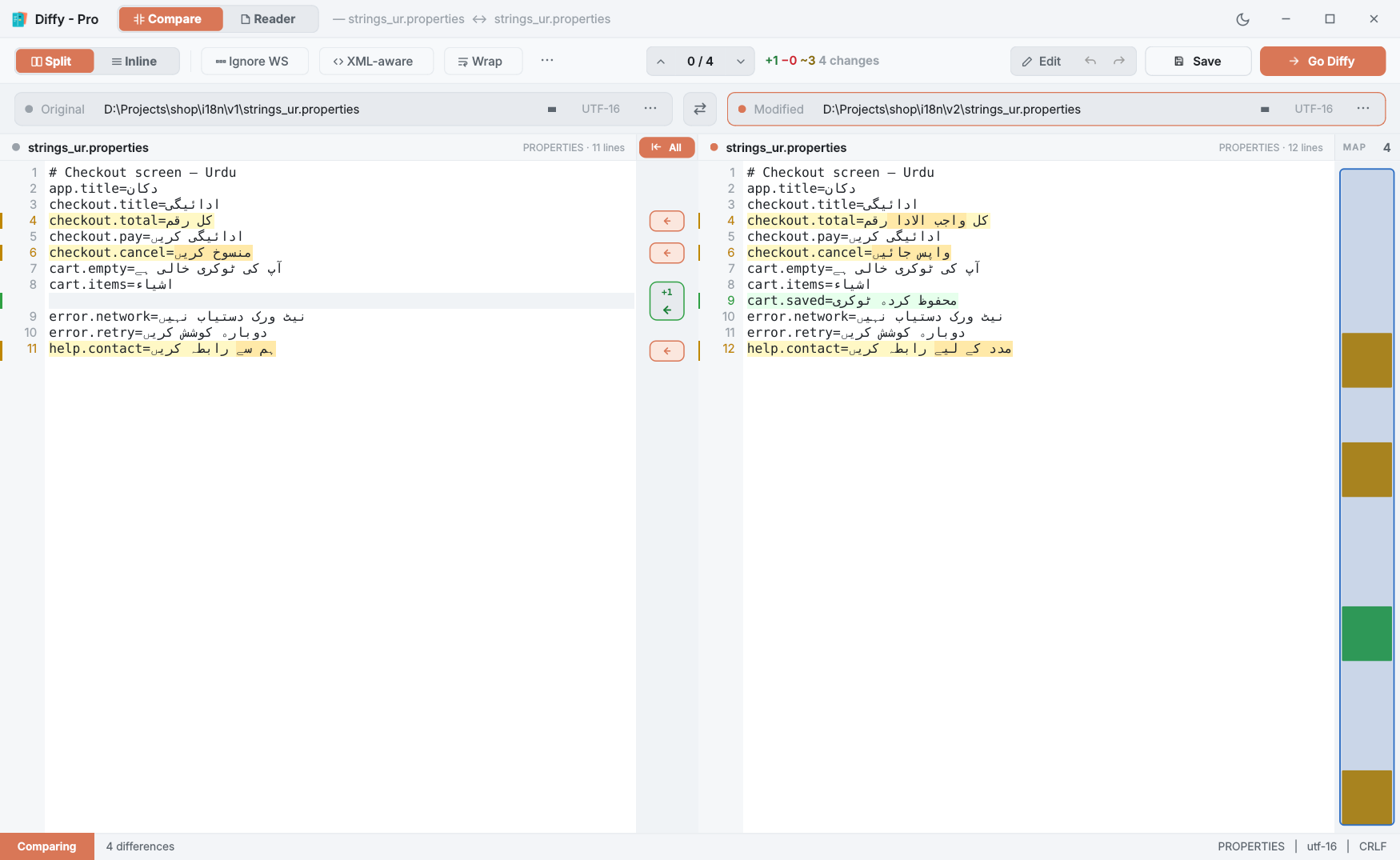
Step by step
- Open both files — drop them on the panes, or select them in File Explorer and choose Compare in Diffy.
- Check the badge in each file picker:
UTF-16,UTF-8,CP1252and so on. The status bar also shows the encoding and line endings (CRLF or LF). - If the text looks wrong — accented letters turned into symbols, or a "looks like a binary file" message — the encoding was guessed wrong. In Diffy Pro, click the badge and choose the right one; the file reloads in that encoding.
- Edit and save. Save writes each file back in its own encoding, with its own line endings and byte-order mark.
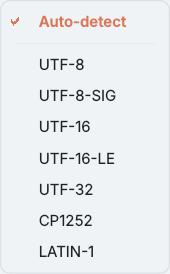
Converting on purpose
Sometimes you want a different encoding — a UTF-16 export that needs to become UTF-8 for git, or CRLF line endings that should be LF. ⋯ → Save As (encoding / line endings) writes a copy with the encoding and line endings you choose, and works in free Diffy.
Diffy will not silently damage a file. If you type a character the file's encoding cannot store — Urdu into a Windows-1252 file, say — Save refuses and leaves the file untouched, and suggests saving as UTF-8 instead.
Questions
Which files are UTF-16?
Common examples on Windows: .reg exports, output redirected from PowerShell 5 (>), many .rc resource files, SQL Server and Visual Studio exports, and files saved as "Unicode" in Notepad.
Why does my file show as binary?
A UTF-16 file without a byte-order mark contains zero bytes between Latin characters, which looks like binary data to tools that only guess. Diffy Pro lets you tell it the encoding so the file loads as text.
Can I convert a file to UTF-8?
Yes. Save As lets you pick the encoding and line endings for the file you write, in free Diffy as well as Pro.