Settings
Six sections. Most people change two of them once and never come back — but the Transfers section is worth understanding, because it is where speed and safety trade against each other.
Toolbar → Settings, or Ctrl+,. Changes apply immediately; there is no Save button and no restart.
General
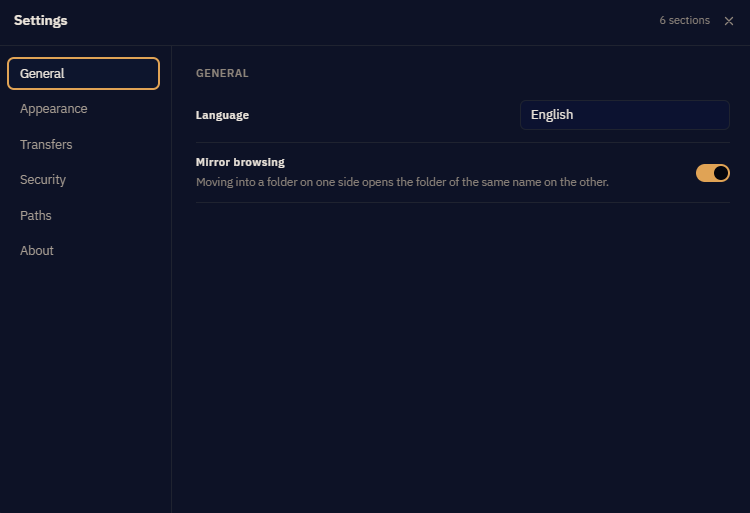
| Language | English, with an Urdu slot reserved. Untranslated strings fall back to English rather than showing a blank. |
| Startup | Whether to reopen the tabs you had open, and whether to reconnect them automatically. |
| Confirmations | Which destructive actions ask first. Turning off the delete confirmation is supported and not advised — there is no recycle bin on a remote server. |
Appearance
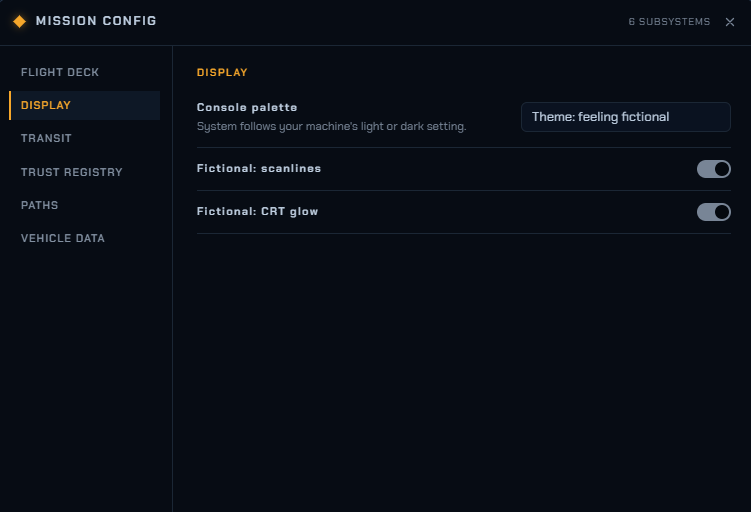
| Theme | Including Orbital Link, the ground-station skin. Themes change labels and colours only — never behaviour. |
| Fictional: scanlines | CRT scanlines over the window. Orbital Link only. Labelled "fictional" because it reflects nothing real. |
| Fictional: CRT glow | Edge bloom and vignette. Same caveat. |
| Density | Row height in the file panes. Compact fits noticeably more on screen. |
Animations not moving? That is a Windows setting rather than an app one — see the Orbital Link chapter. Velocity Bridge honours your system reduced-motion preference and switches all ambient motion off when it is set.
Transfers
The section that repays reading.
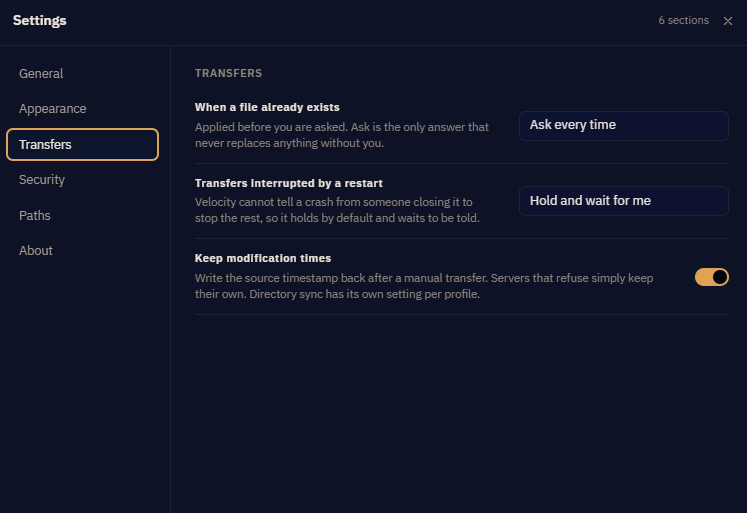
| Max concurrent transfers | How many files move at once. Higher helps a lot with many small files and barely at all with one large one. Some servers limit connections per user and will refuse the extras — if a higher number produces errors rather than speed, that is why. |
| Retry attempts and delay | Applies to transient failures only — dropped connections, timeouts, a server briefly too busy. Permanent errors like "permission denied" are never retried, because fifty identical failures bury the one message you needed. |
| Default conflict action | What to do when a file already exists: ask (the default), overwrite, overwrite if newer, or skip. Setting it to overwrite means you stop being asked — including the time you would have wanted to be. |
| Preserve timestamps | Set the destination file's modified time to match the source. Makes "overwrite if newer" meaningful on later runs. Some servers refuse, and then it silently does nothing. |
| Transfer mode | Binary or ASCII for FTP. Leave it on binary unless you know why you are changing it — ASCII rewrites line endings, which corrupts anything that is not text. |
| Connection timeout | How long to wait before giving up. Raise it for slow or distant servers. |
Sites can override these individually, which is the better answer for one awkward server than changing the global default for all of them.
Security
Every SSH host key and every TLS certificate you have accepted, with its fingerprint and the date you accepted it. Each can be revoked; the next connection to that server then asks again from scratch.
Covered fully in Security.
Paths
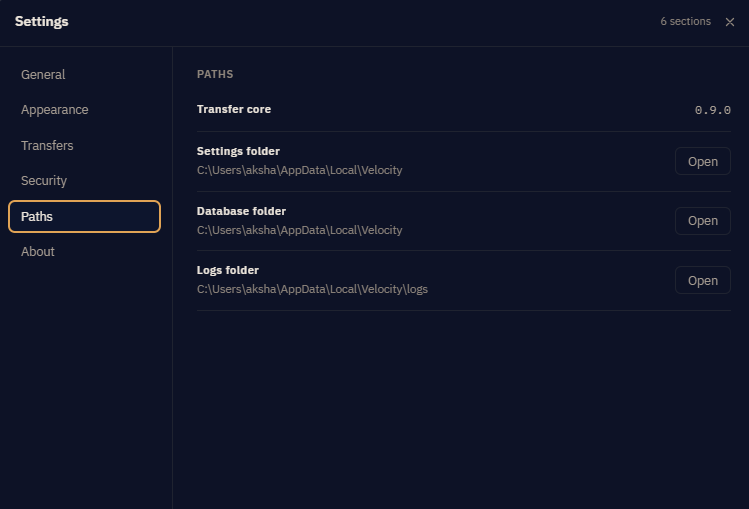
Where the app keeps its files, with an Open button for each.
| Transfer core | The version number. Include it in any support email. |
| Settings folder | Your preferences. |
| Database folder | Saved sites, the queue, sync profiles, trusted keys. Not passwords — those are in Windows Credential Manager. |
| Logs folder | Application logs. Useful to attach when reporting a problem. |
The path shown may not look like where you expected. Velocity Bridge is installed from the Microsoft Store as a packaged app, and Windows gives packaged apps a private storage area rather than a plain folder under AppData. The paths shown are the real on-disk locations, which is why they include a Packages component.
About
Version, licence information, and the user guide — both the offline copy that opens with F1 and a link to this site, which carries the fuller version.