Keeping folders in sync
Compare a local folder against a remote one and move only what differs. The most powerful thing in the app, and the one most able to ruin your afternoon — which is why it has a dry run.
Profiles
A sync profile saves which two folders to keep in step and how. It holds the local folder, the remote folder, the direction, what to do about deletions, and how conflicts are decided. Profiles persist, so a deployment you configure once is one click every time after.
Open it from the toolbar's Sync button, with a connection already open — "Connect to a site before running a sync" means what it says.
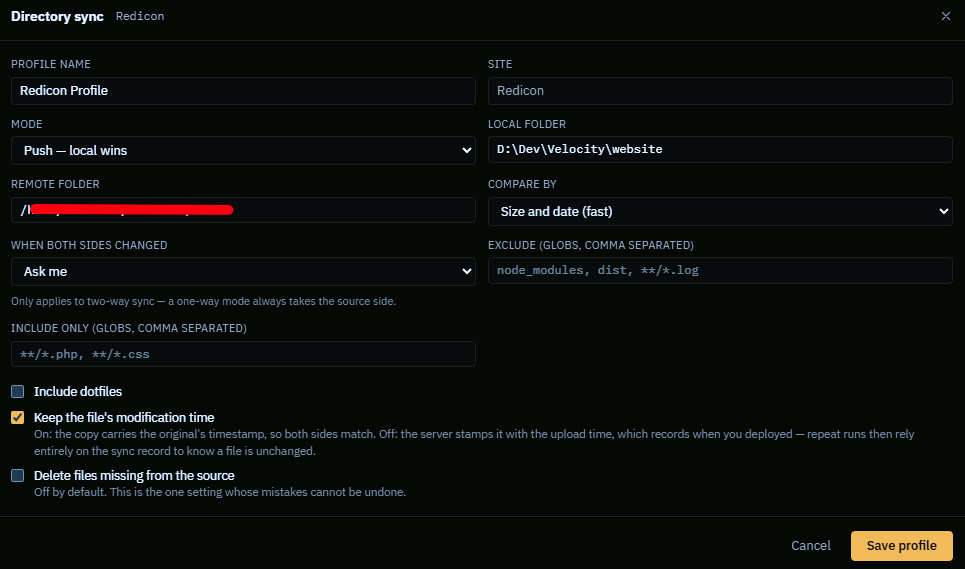
Directions
| Upload (local → remote) | Make the server match your machine. The deployment case. |
| Download (remote → local) | Make your machine match the server. Pulling content or backups. |
| Two-way | Newer wins on each side, so both end up holding the union of the changes. For genuinely shared folders. |
Two-way is the one to be careful with. Where both copies of a file changed since the last run, something has to lose, and the conflict policy decides what. Set it deliberately before the first run rather than discovering it afterwards.
Deletions
The question a sync has to answer is: when a file exists on one side and not on the other, was it added there or deleted here?
| Never delete | Only ever adds and updates. The safe default. Over time the destination accumulates files the source no longer has. |
| Mirror | Anything missing from the source is removed from the destination, so the two end up identical. What you want for a real deployment, and the setting that can delete a lot of files at once. |
Mirror plus a mis-set source folder is the classic way to empty a server. The dry run exists precisely for that moment.
The dry run — read it
A dry run moves nothing. It plans the entire sync and lists every upload, download and delete it would perform, then stops and waits. This is the single most useful habit with this feature.
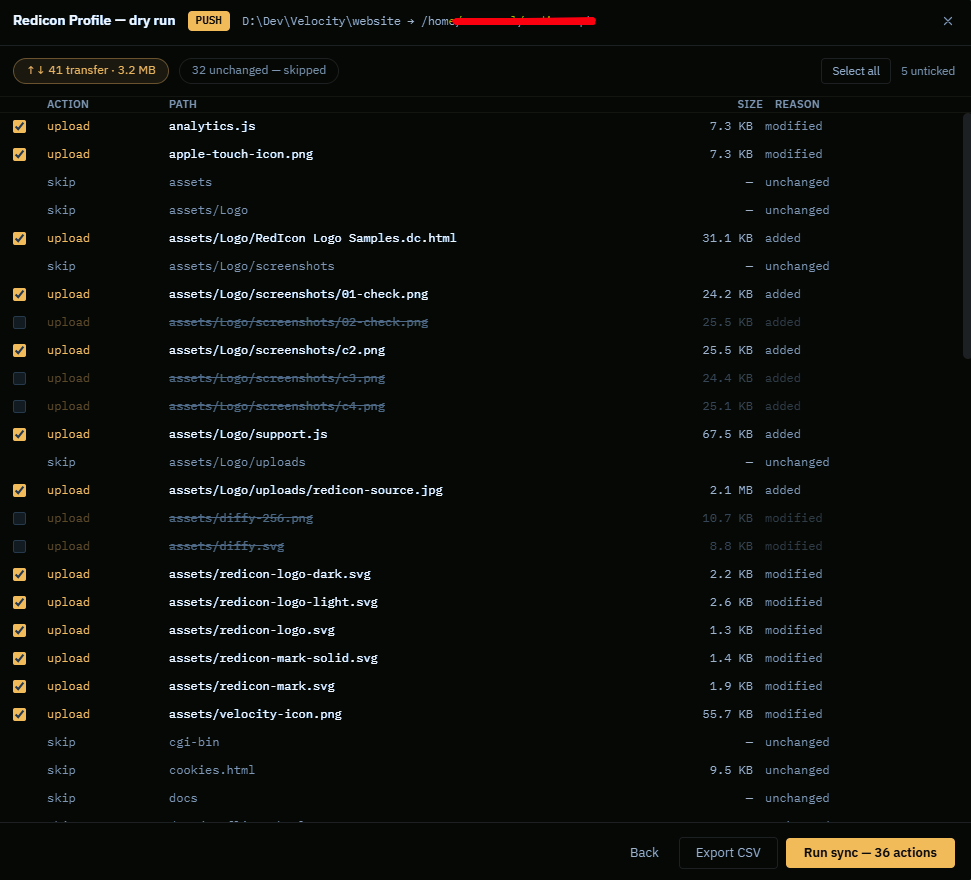
Read the plan looking for three things:
- Deletions you did not expect. Almost always a wrong folder on one side.
- The count. "148 actions" on a tree you changed two files in means the comparison is not matching them up — often a timestamp or permissions difference rather than real content change.
- Direction. That uploads are uploads.
Export CSV saves the plan for reading in a spreadsheet, or as a record of what a deployment was about to do. Worth keeping for anything touching production.
When it looks right, Run sync — N actions executes exactly that plan. The actions go through the normal queue, so they are resumable and cancellable like anything else.
The sync report
Afterwards the Sync report panel in the bottom dock shows what actually happened — what transferred, what was skipped, what failed and why. It is also exportable.
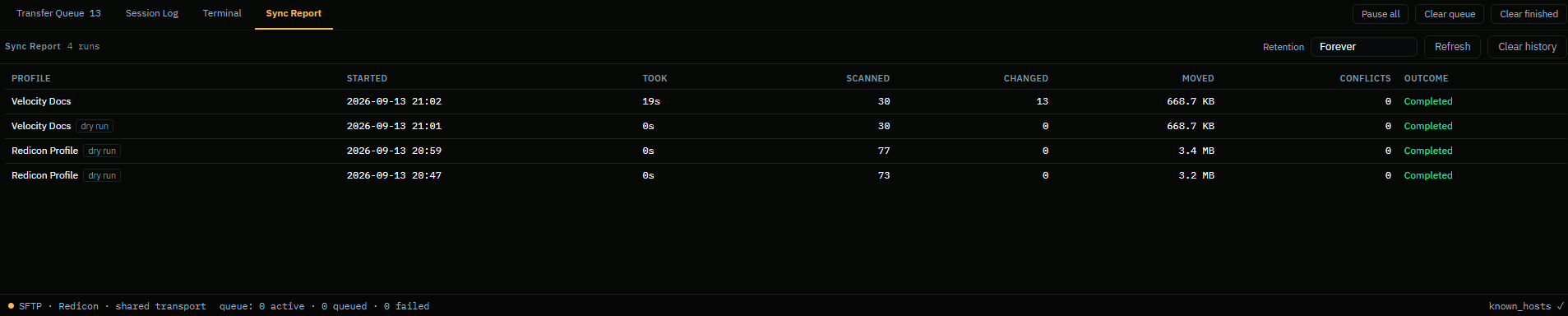
A failure here does not roll anything back. Sync is not a transaction: it is a list of operations, some of which may have succeeded. The report tells you which, so a re-run can finish the job.
Practical advice
- Start with Never delete on a new profile. Switch to Mirror once you trust the folder pair.
- Dry run every time on production. It costs seconds.
- Watch out for build output and
node_modules. 0.9 has no ignore-file support, so a sync of a project directory will happily push the lot. Point the profile at the folder you actually deploy. - Keep backups. This is beta software writing to and deleting from real servers, and no amount of care here replaces a copy you can restore from.