Saved sites
Servers you connect to often, organised in folders, with their own settings — and passwords kept somewhere sensible.
The Site Manager
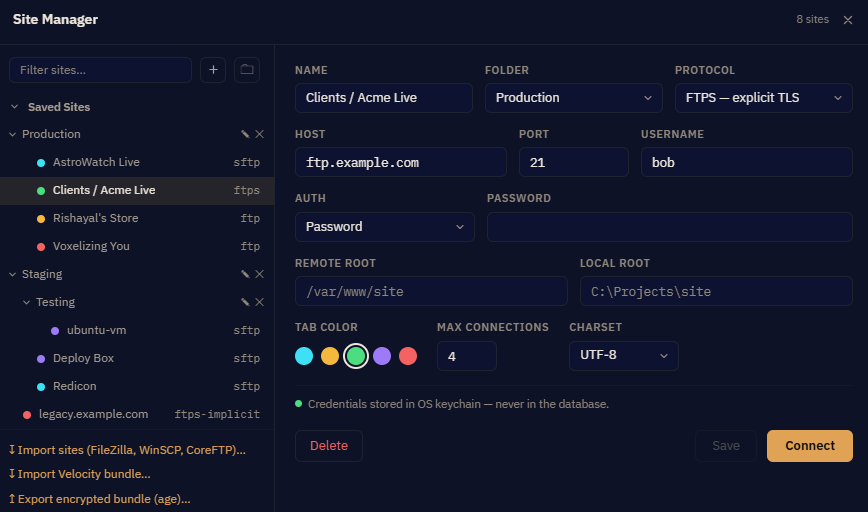
Toolbar → Sites, or Ctrl+S. Sites live in up to two levels of folders, which is enough to separate clients from environments — Acme / production, Acme / staging — without becoming a filing system in its own right.
What a site holds
| Name | Yours, not the server's. Make it the one you would say out loud. |
| Protocol, host, port | SFTP, FTPS (explicit or implicit), or plain FTP. |
| Username and method | Password, SSH key, SSH certificate, agent, or keyboard-interactive. |
| Starting folders | Optional, per pane. A site that opens straight into the folder you work in saves four clicks every single time. |
| Per-site transfer settings | Override the global concurrency and conflict defaults for one awkward server. |
| Charset | How the server reports filenames. Default UTF-8. A server using something else — Windows-1252 is the usual one — needs it set here, or any name outside plain ASCII appears garbled. |
| Connection limit | The most connections to open to this server at once. Some hosts enforce a limit and refuse the rest. |
The Learned Limit
Alongside the limit you set, each site carries a Learned Limit the app maintains itself. When a server times out, Velocity Bridge narrows how many connections it will open to it — rather than continuing to hammer something that is already struggling.
It recovers on its own after five clean transfers. You can also reset it by hand from the Site Manager once you are satisfied the underlying problem is fixed.
This is the usual answer to "why are transfers to this one server suddenly slower" — and the first thing to check when items sit at Queued with nothing running.
Passwords are not stored in the site record. They go to Windows Credential Manager; the site keeps only a reference to them. Nothing readable is in the app's database, config or logs. See Security.
Quick Connect
For a server you will touch once. Same fields, nothing saved. If you find yourself typing the same details into it twice, that is the moment to make it a site.
Importing from another client
Velocity Bridge reads the configuration of three other clients and brings your servers across:
- FileZilla
- WinSCP
- CoreFTP
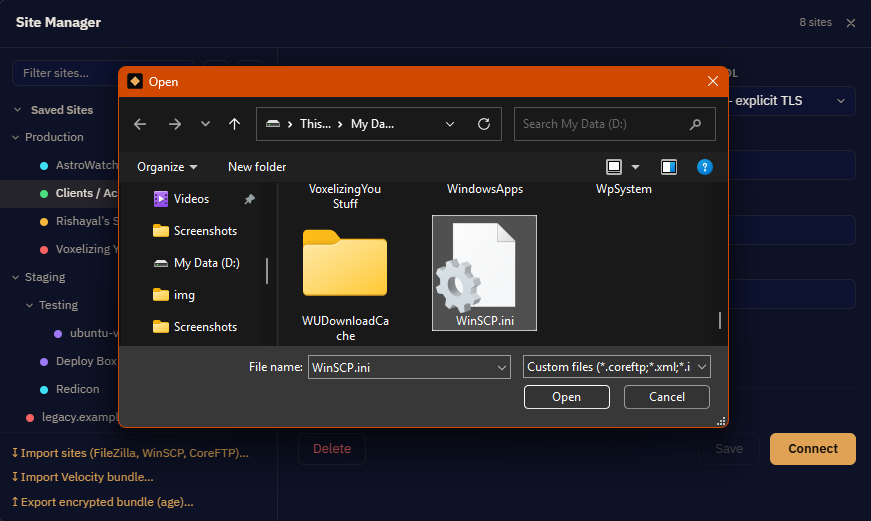
Folder structure is preserved where the other client had one. You choose what to import rather than taking all of it.
Passwords do not come across, and that is deliberate. They stay in the other program's store. Reading another application's saved credentials — even with the user's blessing — is not a thing this app does. You will be asked for each password on first connect, and can save it then.
Moving sites to another computer
Export produces a single encrypted bundle, protected by a passphrase you choose. Import it on the other machine with the same passphrase.
The passphrase cannot be recovered. It is not stored anywhere — not by us, not on your machine. A forgotten passphrase means an unreadable file, and there is no support request that can fix that.
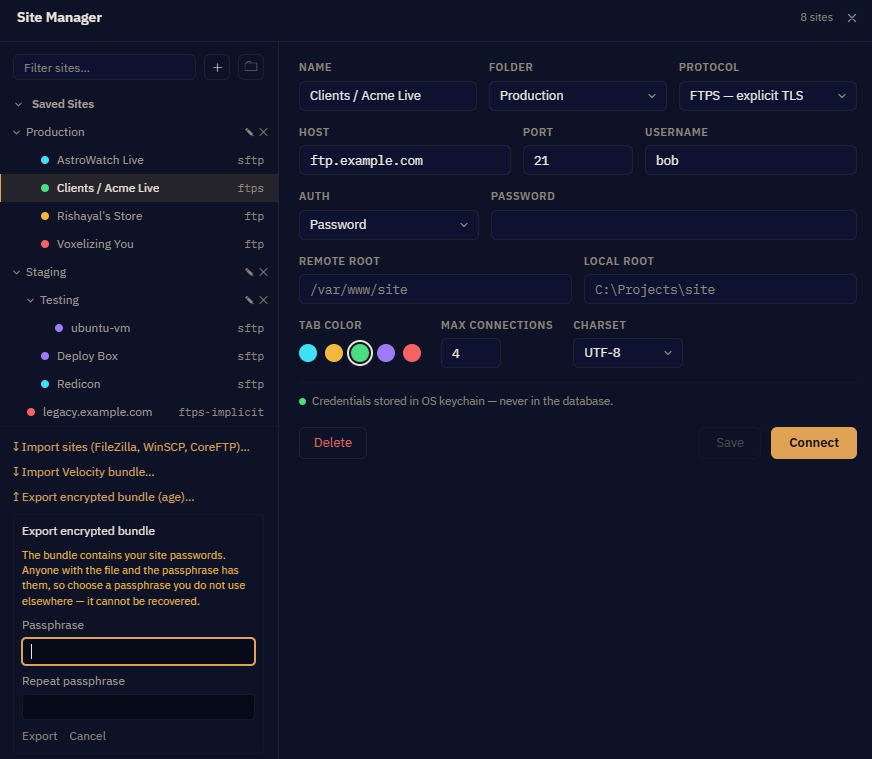
You decide at export time whether saved passwords are included. Leave them out if the bundle will travel by email, a shared drive, or anything else you do not fully control — re-entering a handful of passwords is a small price for not mailing them.
The bundle is a plain file. Treat it as you would treat the passwords inside it: a strong passphrase, and deleted from wherever you staged it once the other machine has it.
Housekeeping
- Deleting a site asks first, and also removes its saved password from Credential Manager.
- Renaming a site does not disturb its stored password.
- Sites and sync profiles are separate: deleting a site does not delete profiles that referenced it, and those will need repointing.